Smartphone
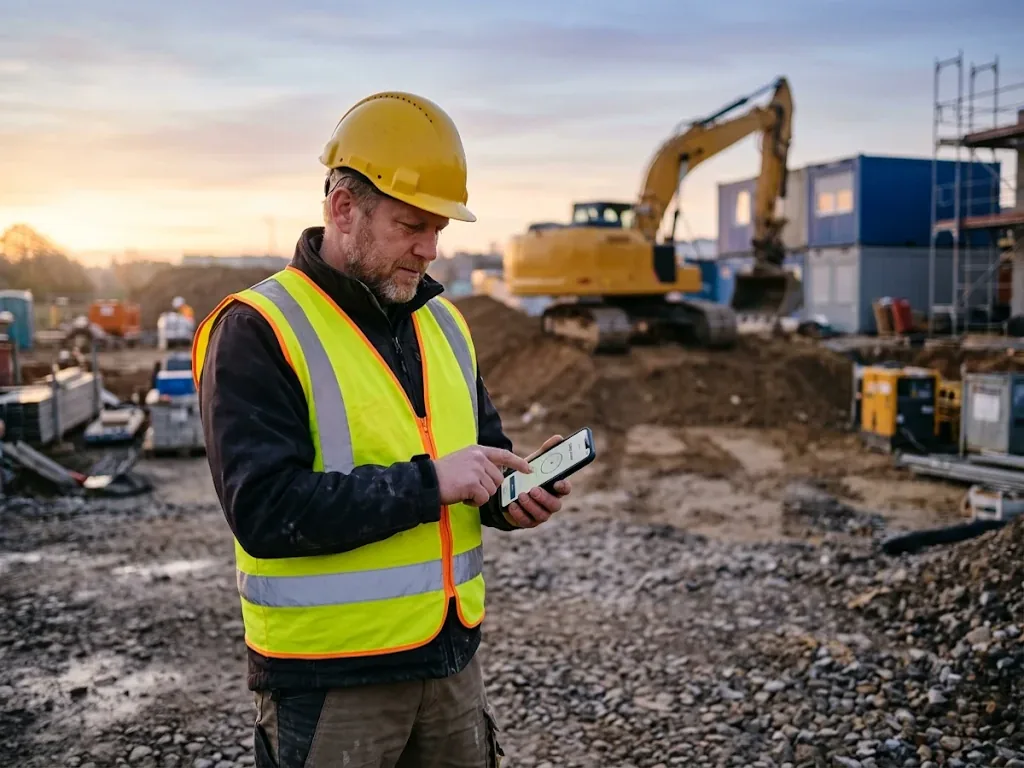
Clock in and out in the Racon360® app – with a location that is automatically translated into an address.
Time tracking
A construction time tracking app for the job site: your team clocks in on the phone, at the NFC time clock terminal or in the browser. Racon360® books the hours to projects, complies with the German Working Hours Act (ArbZG) – aligned with BG BAU (statutory accident insurance for construction), built for field workers – and gives payroll a clean month-end closing.
Timesheets arrive incomplete and late, hours cannot be assigned to a project, and there is no basis for post-calculation.
On clock-out, every hour is assigned to a project or to the back office. Supervisors review and approve, and the month is closed with one click.
Clock in and out in the Racon360® app – with a location that is automatically translated into an address.
A tablet as a station at the depot or container: sign in with PIN or NFC card.
For the office: clock in directly in the browser.
The project is selected on clock-out – the basis for every post-calculation.
For teams without a company phone: a tablet terminal on the wall, one NFC card per person.
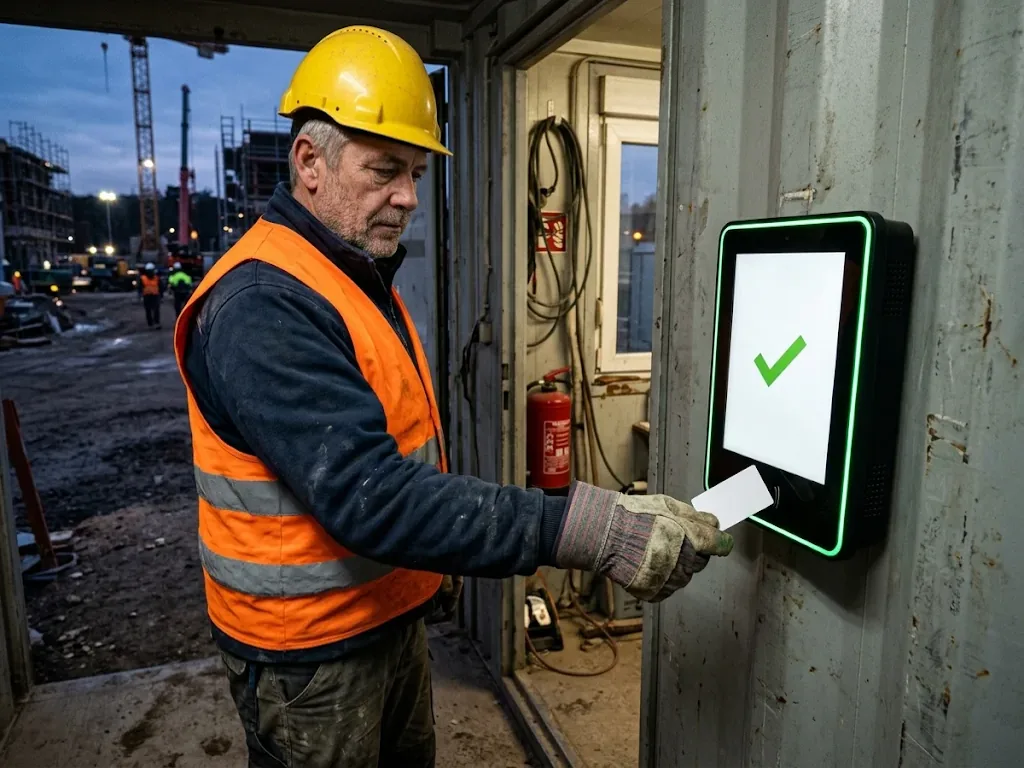
An Android tablet with NFC and an LED frame at the depot or container. Hold the card up, done: the frame glows green on success, yellow during booking and red for an invalid card – recognizable at a glance, even with gloves on.

Place a new card on the card reader in the office – Racon360® transfers the card number to the personnel file. Alternatively, employees sign in at the terminal with a PIN.
Built for field workers on the construction site: Racon360® follows the Working Hours Act (ArbZG) and is aligned with the requirements of BG BAU – rules that do not depend on the site manager.
The breaks under ArbZG, the daily maximum working time and the rest period between two shifts are taken into account automatically – not only at payroll.
The rules for field workers are aligned with the requirements of the statutory accident insurance for the construction industry.
Night and Sunday hours are recorded with their own factor and flow cleanly into the month-end closing.
Open entries are ended automatically instead of distorting the month.
Employees can only add entries for days that are a short time back; approved entries are locked.
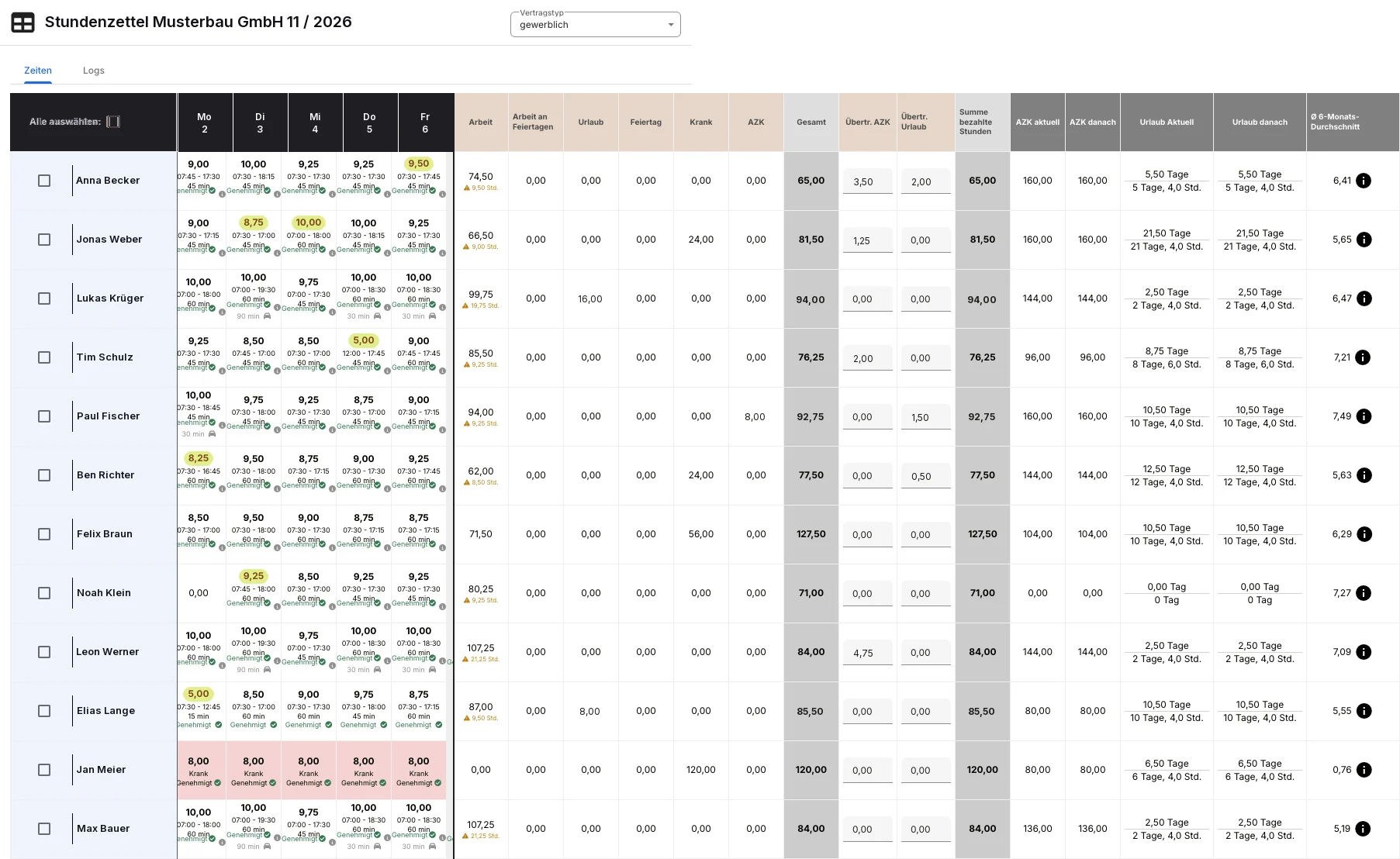
At month end, work, public holidays, leave, sickness, working time account and paid hours are shown side by side for each employee – with carryover to the next month and the average of the last six months.
Monthly overview per employee with legend, change log and print view.
Approve and close individual days or the whole month – including carryover of hours and leave.
Requests in the app with remaining leave, substitute and conflict check; overtime account with limits.
All absences in the calendar and as a list; each employee sees their own.
In the morning via app or at the terminal – with location.
In the evening, select the project; breaks are taken into account according to the stored rules.
The supervisor sees deviations in the timesheet and approves.
The month is closed, hours and leave are carried over.
A construction time tracking app for the job site: your team clocks in on the phone, at the NFC time clock terminal or in the browser. Racon360® books the hours to projects, complies with the German Working Hours Act (ArbZG) – aligned with BG BAU (statutory accident insurance for construction), built for field workers – and gives payroll a clean month-end closing.
Smartphone, Clock-in terminal, Web, Booked to projects, Clock-in terminal with light frame, Pair a card at the desk, Breaks, maximum working time, rest period, Aligned with BG BAU, Night and Sunday work, Forgot to clock out?, Clear rules for late entries, Monthly timesheet, Approve and close, Leave, sickness, overtime, Absence calendar.
For Employee, Supervisors, HR department, Payroll, Management.
Time tracking books hours to projects, requests for leave, sickness and overtime run through the workflows, and the mobile app is the clock-in device in your pocket.
Yes. Breaks, daily maximum working time and rest periods under the Working Hours Act are taken into account automatically, and the rules for field workers are aligned with the requirements of BG BAU.
No. Anyone who does not use a smartphone clocks in at the NFC terminal in the container or at the depot with their employee ID card or a PIN.
In the morning the team clocks in via app or at the terminal, with location. On clock-out the project is selected, and breaks are taken into account according to the stored rules. Supervisors review and approve, then the month is closed.
An Android tablet with NFC and an LED frame serves as the clock-in terminal at the depot or container. Hold the card up, done: the frame glows green on success, yellow during booking and red for an invalid card. New cards are paired at the card reader in the office.
Yes. Instead of paper there is a monthly digital timesheet per employee with legend, change log and print view.
Open entries are ended automatically. Employees can only add entries for days that are a short time back; approved entries are locked.
Time tracking books hours to projects, requests for leave, sickness and overtime run through the workflows, and the mobile app is the clock-in device in your pocket.
We show you the module in a short demo – with your processes instead of slides.
Whether you want to learn more about features, request a custom demo, or just say hello - we're here for you.
Get in touch and take your construction processes to the next level.

Managing Director, IT Architect
Building Infrastructure Construction Technologies GmbH (Bicon Tech)