Rental listings
Create and publish listings with description, technical data, photos, documents and matching accessories.
Rental
Excavators, wheel loaders and equipment that are not in use right now earn money: Racon360® publishes your rental listings, collects enquiries and runs every rental through to return and payment.
Enquiries arrive by phone and e-mail, availability sits in a list, contracts in Word – and only accounting knows whether the rent has been paid.
Listing, enquiry, contract, handover and payment are attached to the same machine. The fleet sees at once what is rented out – and the other way round.
One continuous process instead of phone notes and Excel: every enquiry becomes a rental, every rental ends with the return and a settled balance.
Publish rental listings with photos, documents, accessories and a price list on your rental website with one click.
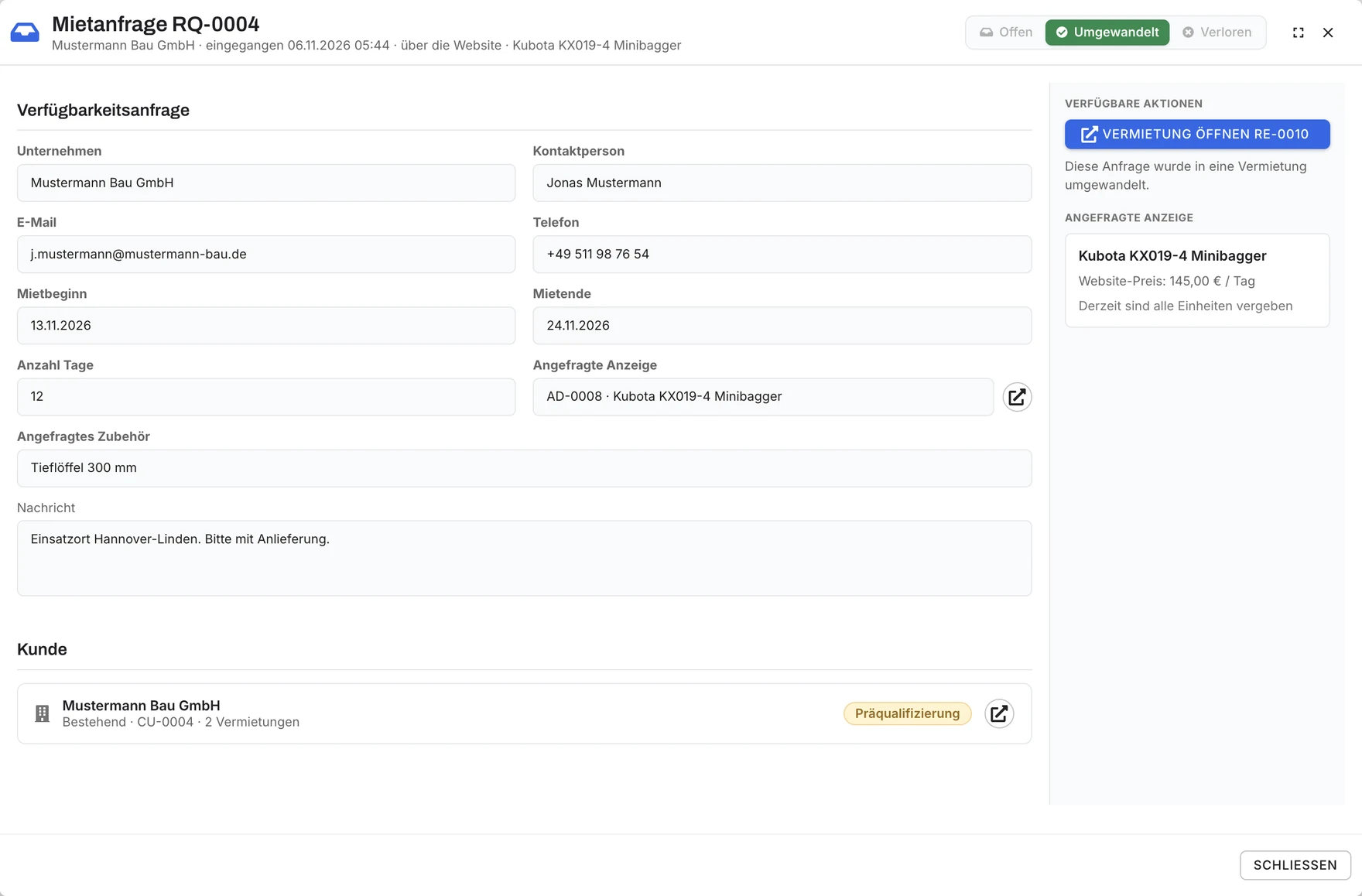
Enquiries from the website land directly in Racon360® – with period, requested accessories and message. Open, converted or lost: nothing gets overlooked.
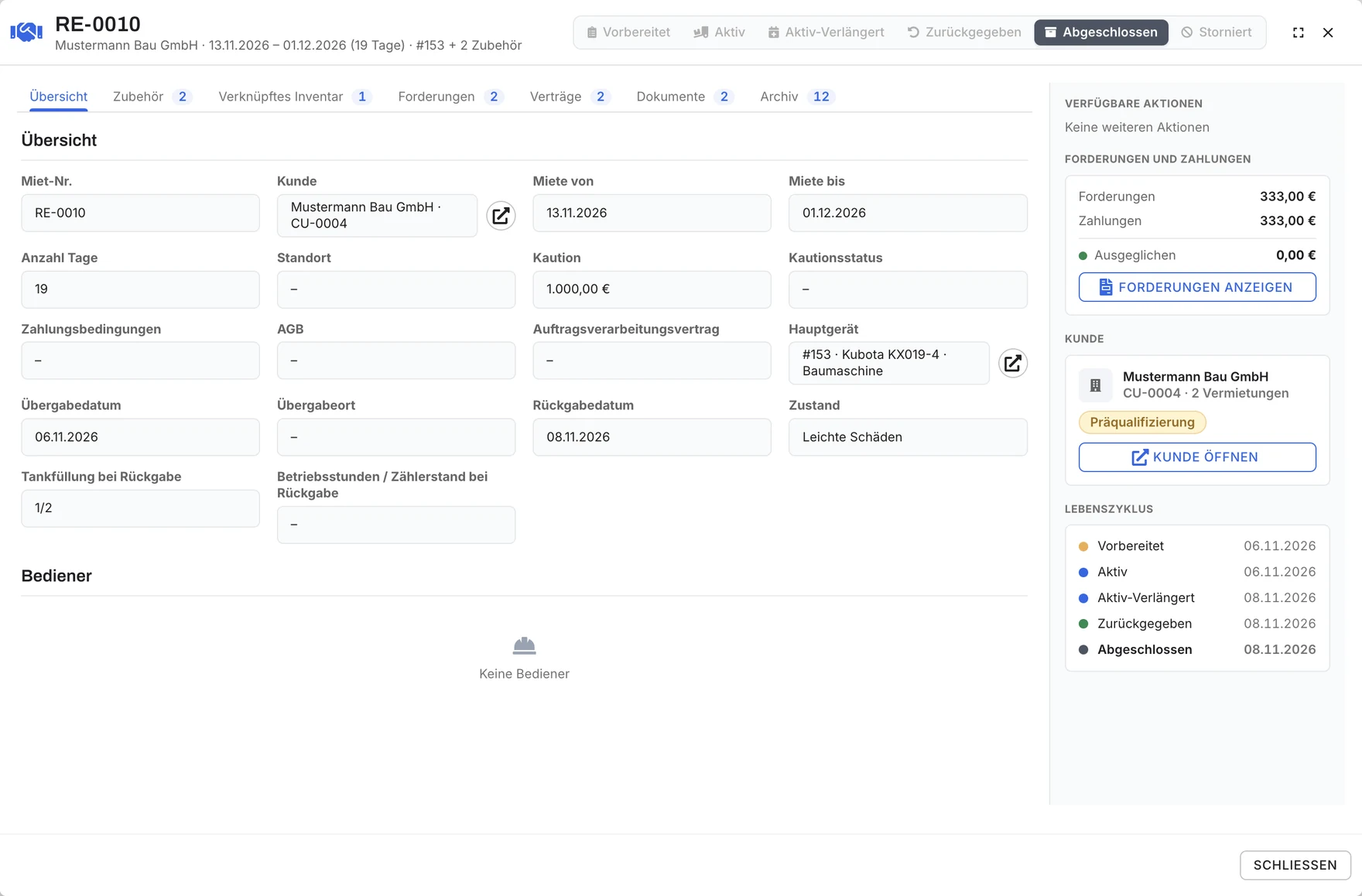
An enquiry or a listing becomes a rental – with customer, period, accessories and deposit. Contracts and documents are stored on the rental.
Hand over, extend, take back or cancel – with date, condition, fuel level and operating hours on return.
Receivables and payments per rental, with an open, settled or overpaid balance.
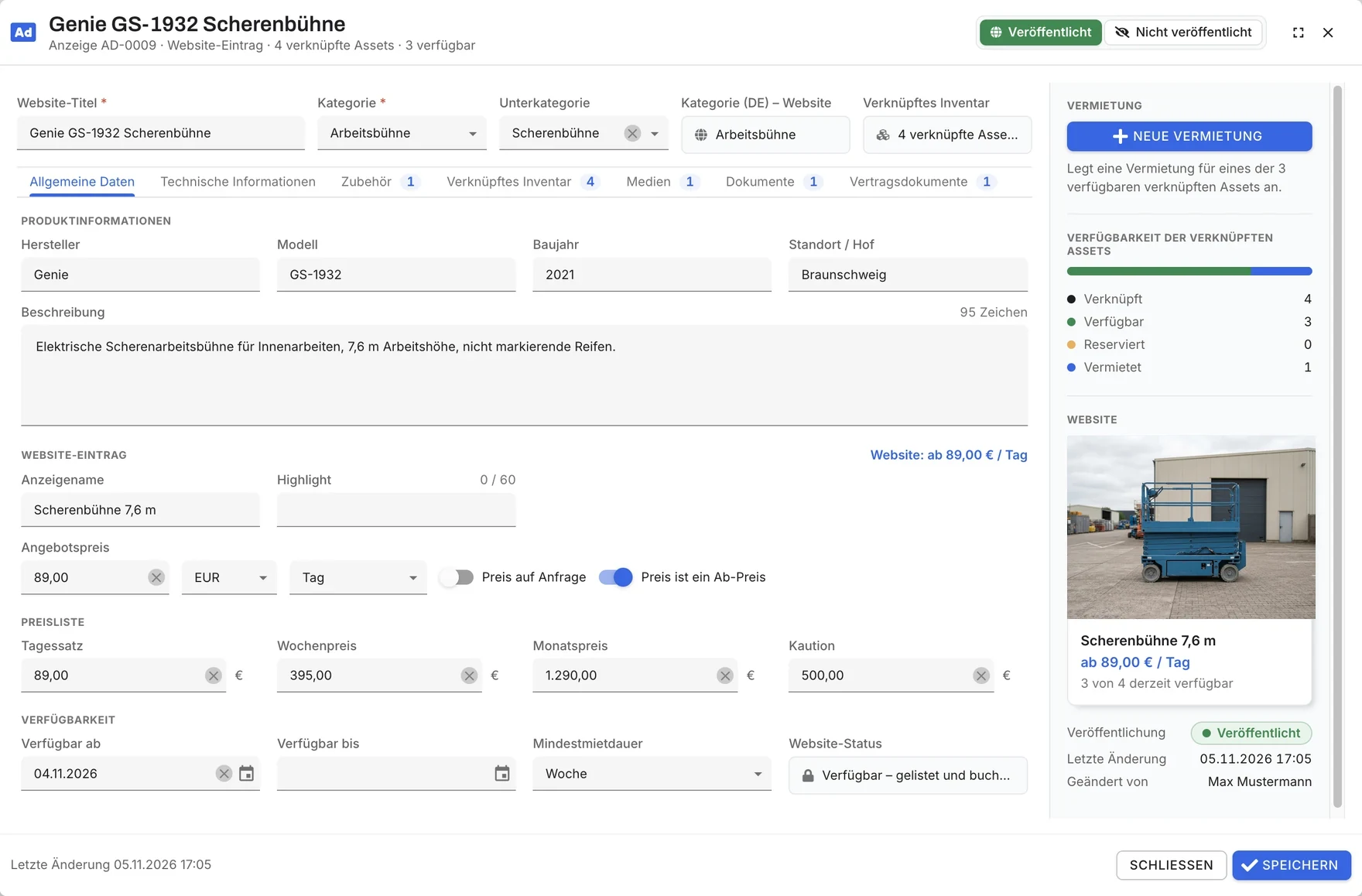
Create and publish listings with description, technical data, photos, documents and matching accessories.
Daily rate, weekly and monthly price, deposit and minimum rental period per listing – optionally as a starting price or price on request.
One listing bundles several machines from the fleet: how many are available, reserved or rented out is shown right on the listing.
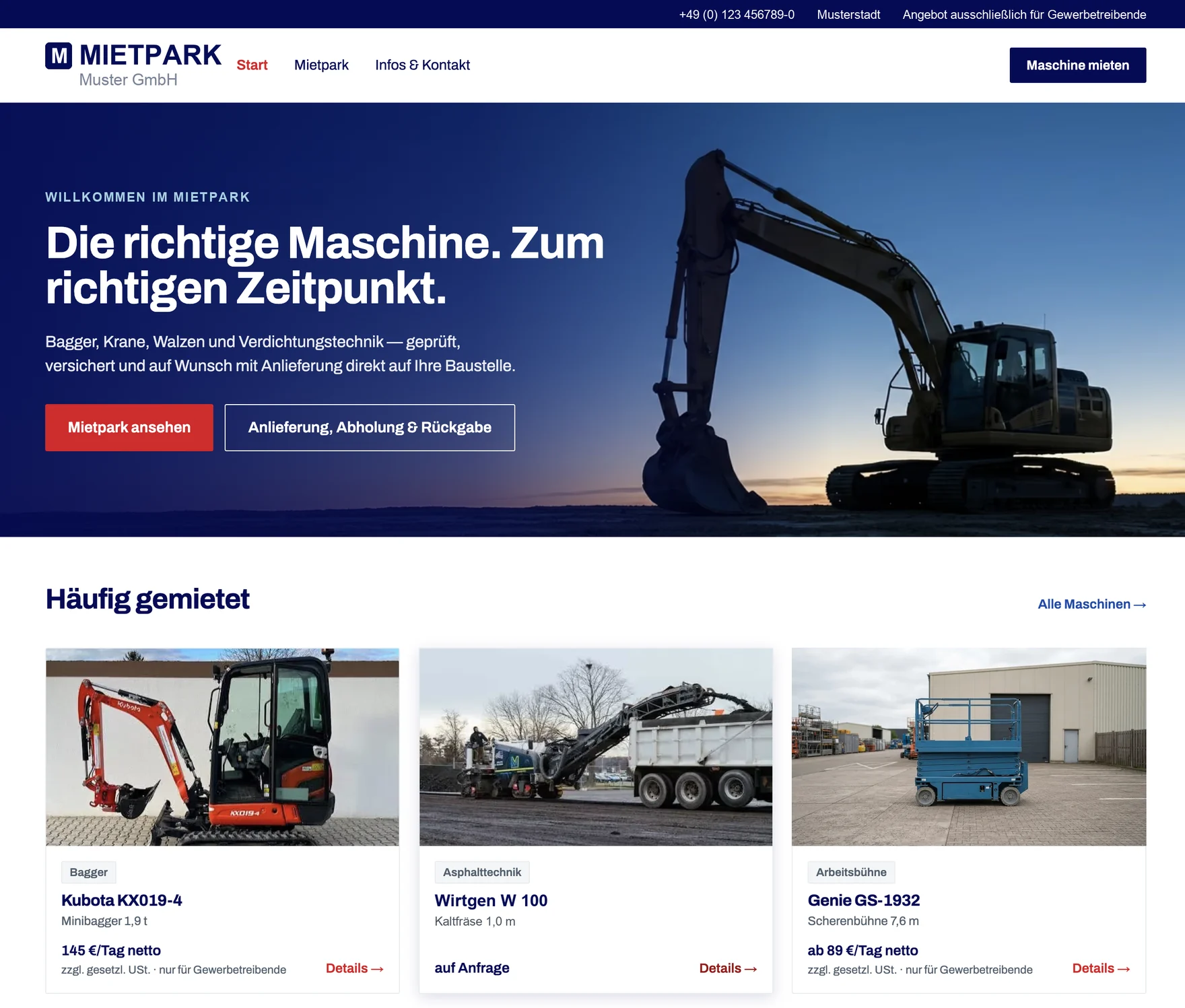
Your rental fleet as an online catalogue – filled from Racon360®, with nothing to maintain twice.
Published listings and categories appear in the catalogue of your rental website automatically.
Daily price, starting price or “on request” – the website shows what is set on the listing.
Whoever enquires online lands directly in Racon360® as a rental enquiry.

Rental customers with their own status – from prequalification to active, blocked or disqualified where needed.
Store and check qualification documents per customer before the machine leaves the yard.
All rentals of a customer with period, status and balance at a glance.
Excavators, wheel loaders and equipment that are not in use right now earn money: Racon360® publishes your rental listings, collects enquiries and runs every rental through to return and payment.
Listing online, Enquiry arrives, Create the rental, Handover to return, Payments in view, Rental listings, Prices and deposit, Availability, Published automatically, Price as configured, Enquiries back into the system, Customers with a status, Check the documents, Everything in one place.
For Rental, Dispatch, Fleet, Accounting, Management.
Rental uses the machines and equipment from fleet and inventory – rented assets show up there as rented out straight away.
Rental uses the machines and equipment from fleet and inventory – rented assets show up there as rented out straight away.
We show you the module in a short demo – with your processes instead of slides.
Whether you want to learn more about features, request a custom demo, or just say hello - we're here for you.
Get in touch and take your construction processes to the next level.

Managing Director, IT Architect
Building Infrastructure Construction Technologies GmbH (Bicon Tech)